

Forex Trading Basics: A Starter Guide
🌍 Start your forex trading journey with clear insights and smart tips! Learn strategies, risk management, and market analysis tailored for beginners in Kenya.
Edited By
Matthew Clarke
Accessing your forex trading account is the first step to engaging in the global currency markets. Without secure and reliable login procedures, your trading activities could be at risk, and you might miss important opportunities to act on market moves. For traders in Kenya, understanding how to navigate the login process smoothly is especially important given potential challenges like intermittent internet connectivity, platform reliability, and ensuring your personal data stays safe.
When you choose a forex platform, look beyond flashy features. Prioritise reputable brokers regulated by recognised authorities such as the Capital Markets Authority (CMA) in Kenya. This helps ensure your account details and funds are treated with proper safeguards. Once registered, you’ll usually log in with a username, email, or account number alongside a strong password.
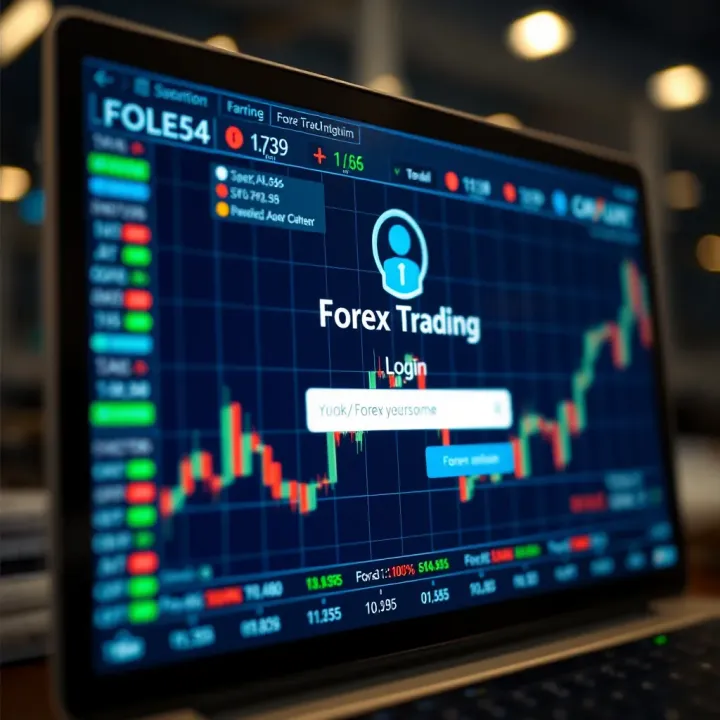
Many platforms now offer two-factor authentication (2FA) as a layer of security. This means after entering your password, you confirm your identity via a second device — often using a mobile phone app for one-time codes or an SMS code. This extra step is crucial to keep your forex account out of reach of unauthorised users, which is a key risk in digital trading.
Always use unique passwords for your trading account and avoid reusing those from social media or email. Consider password managers to keep track without writing them down where others might find.
If you experience login issues, common causes may include d passwords, browser problems, or technical outages on the platform’s side. Clearing browser cache, trying different browsers, or resetting your password often solves the problem. Brokers’ customer support is also a valuable resource for resolving access difficulties quickly.
In Kenya, some traders also face occasional internet cuts or slow speeds, which may affect their ability to log in or maintain sessions. Keep your devices updated and consider mobile data as backup, such as Safaricom’s 4G or Airtel’s networks, to stay connected whenever possible.
By understanding the login process and security measures, you protect your funds and trading history. The next sections will explain how to manage your account once logged in, including monitoring trades, deposits, and withdrawing profits efficiently.
Choosing the right forex trading platform is a key step to making your trading experience smoother and more secure. The platform you select affects not only how easily you can log in but also determines the tools, speed, and protection you get. For Kenyan traders, picking a platform that balances ease of access with strong safety features is vital, especially when managing funds in local currency through systems like M-Pesa.
Regulatory compliance is the foundation of trust when selecting a forex trading platform. In Kenya, brokers authorised by the Capital Markets Authority (CMA) offer enhanced security, knowing they operate under clear rules. A platform licensed by respected bodies such as CMA or the Financial Conduct Authority (FCA) demonstrates it meets financial standards and protects traders' interests. Choosing a platform without proper licensing could expose you to scams or unreliable service.
Trading platforms vary widely in how user-friendly their interfaces are, which can make a big difference once you start actively trading. A clear, intuitive layout helps you quickly spot market movements and place orders without fumbling. Platforms like MetaTrader 4 and 5 offer clean interfaces suited for beginners and seasoned traders alike. Accessibility also means your platform should work seamlessly across devices — smartphone, tablet, and desktop — especially important for Kenyan traders who rely heavily on mobile access.
Having accessible customer support, ideally with local or at least regional availability, saves time when you encounter problems logging in or handling your account. Kenyan traders benefit when platforms provide support in East African time zones and understand local payment systems like bank transfers and M-Pesa. Additionally, a platform with a physical or virtual presence in Kenya helps build confidence, especially when handling sensitive issues like account recovery.
MetaTrader 4 (MT4) and MetaTrader 5 (MT5) remain the favourite platforms for many Kenyan forex traders. MT4 is prized for its simple design, effective charting tools, and wide broker support, making it ideal for beginners. MT5 adds more features like extra timeframes and order types, appealing to those wanting more advanced analysis. Both support mobile apps, so Kenyans can trade on the go with strong security features.
cTrader software targets traders looking for a modern, fast, and transparent platform. It offers clear trade execution with little lag and advanced charting alongside a cleaner interface than many older platforms. Kenyan traders who prefer more control over order types and risk management often choose cTrader. It also supports quick login options and two-factor authentication, enhancing account security.
Some brokers develop their own custom trading platforms to offer unique features tailored to their clients’ needs. These can include localised payment integration for methods like M-Pesa and native customer service chatbots. While proprietary platforms may lack the widespread recognition of MT4/MT5, they often provide smoother account access and specific tools aligned with Kenyan market demands. However, it's important to vet these platforms thoroughly because their regulatory backing may vary.
Always verify platform licensing and test its login process before committing your funds. A platform that combines good regulation, user-friendly access, and strong support helps you trade with confidence in Kenya’s dynamic forex market.
Grasping how the forex trading login process works is vital for anyone looking to trade confidently and securely. Without clear knowledge of this process, you risk delays or errors that might cost you valuable trading opportunities. Plus, a smooth login path minimises distractions, letting you focus on market analysis instead of technical hiccups.
Creating an account usually starts with registering on your chosen forex trading platform. You’ll provide basic details such as your full name, email address, phone number, and sometimes your national ID or passport number. For instance, in Kenya, some platforms require you to upload a scanned copy of your Kenyan ID or passport as part of the onboarding. This initial registration is straightforward but essential for setting up your unique trading profile.
Most reputable platforms in Kenya follow regulatory rules that require verifying your identity to prevent fraud and comply with KYC (Know Your Customer) guidelines. This step typically involves submitting proof of identity and proof of residence documents. Verification helps protect your account from unauthorised use, and it’s necessary before you can deposit funds or start trading. Without verification, some platforms may limit your access or freeze your account.
Choosing a strong password is a basic but crucial defence against hacking. A solid password should mix uppercase and lowercase letters, numbers, and special characters. Avoid using personal details like birthdays or common phrases, as these are easy to guess. For example, instead of "john123", opt for something like "Mombasa2024!$". This not only makes your account safer but also helps you avoid the hassle of frequent password resets.
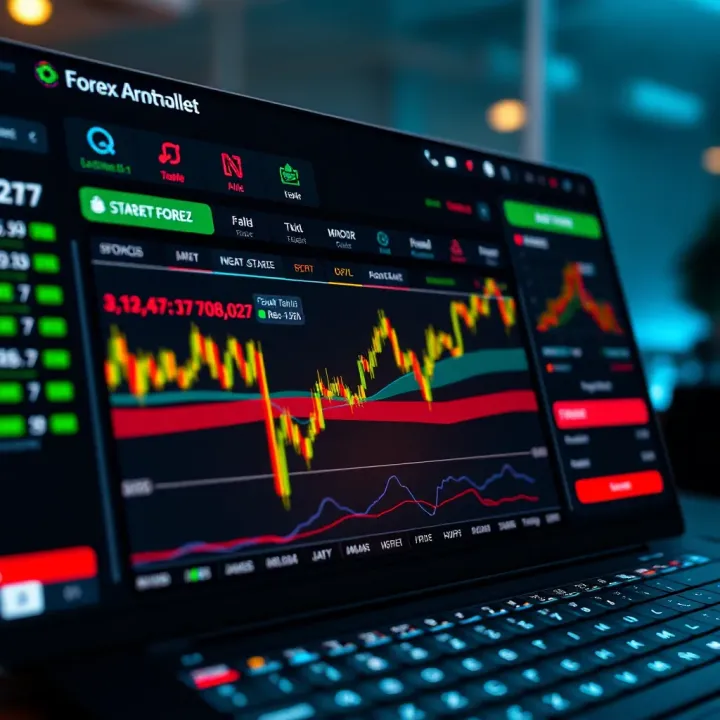
Begin by navigating to the official website or app of your forex broker. Double-check the URL – fraudulent sites often mimic popular platforms but with slightly different addresses. For Kenyan traders, using platforms like MetaTrader 4 or proprietary broker apps (e.g., from FXPesa or EGM Securities) is common because they’re accessible through mobile and desktop with minimal data consumption.
Once at the login page, enter your username or email and your chosen password carefully. Some platforms allow you to save login details for convenience, but be cautious if you’re using shared or public devices. For instance, logging in from a cybercafe or an internet kiosk in Nairobi requires extra care to avoid stolen credentials.
Many platforms now require two-factor authentication (2FA) as an extra security layer. This typically means, after typing in your password, you’ll need a second code sent to your mobile phone via SMS or generated by an authenticator app. In Kenya, smartphone penetration is high, so using apps like Google Authenticator or receiving SMS codes is practical and effective. 2FA significantly lowers the chance of unauthorised account access, even if someone guesses your password.
Accessing your forex account safely means understanding every step of the login process well. This awareness protects your funds and gives you peace of mind so you can trade with confidence.
By following these steps, Kenyan traders ensure their forex login process is smooth and secure, setting a solid foundation for successful trading.
Forex trading platforms sometimes throw curveballs, especially at login. Knowing how to handle common login problems saves you time and keeps your trades on track. It avoids the frustration of being locked out when markets move fast. This section breaks down typical login glitches and gives clear steps for sorting them out, helping Kenyan traders stay connected.
Forgetting passwords is more common than you'd think. Most platforms let you reset your password safely by sending a reset link to your registered email or phone. Always ensure the link comes from the official broker’s domain to avoid phishing scams. For example, if you trade via a platform like MetaTrader, the password reset process usually involves answering security questions or verifying additional info before allowing a new password.
If you can’t log in after multiple tries, use your email or phone number linked to your account to regain access. Brokers typically send one-time codes or verification links to these contacts. For Nairobi traders, this is handy since many rely on mobile phones for communication. Ensure your contact details are always updated on the trading platform to avoid delays during recovery.
Accounts get locked for several reasons, including multiple failed login attempts, suspicious activities flagged by the platform, or breach of trading terms. For instance, entering the wrong password five times might trigger an automatic lockout to protect you from unauthorised access. Some brokers also suspend accounts temporarily if they detect irregular transactions.
Once locked, reactivation usually requires contacting customer support, confirming your identity, and sometimes submitting identification documents. Some platforms offer instant unlocks through automated systems after verifying your details. Keep your account information handy to speed up this process, whether you call support directly or email them.
Browser clutter from cached data and cookies can cause login problems or stop the platform loading correctly. Clearing these can resolve issues like pages failing to load or repeated login prompts. On browsers like Chrome or Firefox, go to settings, clear browsing data, and select cache and cookies without deleting saved passwords.
Using a browser that the platform supports is key to smooth login. For instance, some brokers optimise their web platforms for Chrome or Firefox but may not fully support Safari or Internet Explorer. Also, using the broker’s official app on your smartphone usually offers a more stable login experience than a browser, especially with intermittent internet in parts of Kenya. Always update to the latest version to benefit from security patches and improvements.
Efficient troubleshooting means minimal downtime and more focus on trading. Keeping these tips in mind helps you avoid login headaches and trade confidently.
Securing your forex trading login is vital not just to protect your funds but also to safeguard your personal data. Fraudsters often target trading accounts because they hold real money and sensitive information. Adopting proper security practices ensures you trade confidently without the fear of losing access or falling victim to scams.
Phishing is a common trick where fraudsters mimic legitimate websites or send fake emails to steal your login details. For instance, you might receive an email that looks like it's from your forex broker asking you to confirm your password by clicking a link. Always double-check the sender's email address and look for subtle anomalies like misspelled words or unusual domain names. Instead of clicking links in emails, go directly to the broker's official website by typing the address in your browser.
Phishing scammers also use fake pop-ups on social media or WhatsApp messages claiming urgent account issues. Never share your username, password, or PIN with anyone, even if they claim to be customer support. Brokers will never ask for your full password by phone or message.
Logging in over public Wi-Fi, like those in cafes or malls, can expose your credentials to hackers spying on network traffic. When possible, use your mobile data network or a trusted private Wi-Fi network. For traders in Kenya, relying on Safaricom's or Airtel's networks often provides a more secure connection.
Your device should also be trustworthy—avoid using shared or public computers for your trading login. Ensure your laptop or smartphone has updated antivirus software and the latest system updates, which patch security loopholes. A simple overlooked update could leave your account vulnerable to intruders exploiting system weaknesses.
Two-Factor Authentication adds a second layer of protection beyond your password. Once activated, after entering your login details, you must input a one-time code sent to your mobile phone or generated by an authenticator app like Google Authenticator or Authy. This means even if someone steals your password, they cannot access your account without this second verification.
For Kenyan traders, this extra step is especially useful because mobile phones are widely used and can receive these codes instantly via SMS or apps. While it adds a moment more to the login process, it greatly reduces the risk of unauthorized access.
Some trading platforms now support biometric security like fingerprint scans or facial recognition. These methods use your unique physical traits, making it quite hard for imposters to get in. If your smartphone supports biometric unlocking, enabling this feature can speed up your login while keeping your account guarded.
That said, always combine biometrics with strong passwords and 2FA where possible. Biometric systems in phones can be quite reliable but aren’t foolproof — two layers of security help build stronger defence.
Remember, investing a little time in securing your login today saves you from potential losses and headaches in the future.
By practising these security habits, you reinforce the safety of your forex account, paving the way for smoother trading experiences without the constant worry of cyber threats.
Once you have logged into your forex trading account, managing it efficiently becomes the next critical step. This involves using the tools provided by your trading platform to execute trades, monitor market conditions, handle your funds securely, and keep a close eye on your account's performance. Proper management helps minimise risks and enhances your chances of success.
Placing and managing orders is at the heart of forex trading. After logging in, you should be able to open, modify, and close trades quickly. A reliable platform lets you choose order types like market, limit, or stop orders, which help you enter or exit positions under your preferred conditions. For example, if the USD/KES pair hits a target price, a limit order will automatically execute, saving you from having to monitor the market constantly.
Managing open orders is equally important. You can adjust your take-profit or stop-loss levels to protect your capital and lock in profits. Kenyan traders often rely on these features to navigate the volatility typical of currency pairs involving the shilling, especially around economic reports or political events.
Visualising market trends through charts helps traders make informed decisions. Most platforms provide interactive charts with various timeframes and indicators like Moving Averages, RSI, and Bollinger Bands. These tools assist in identifying price trends, momentum, and potential reversal points.
For Kenyan traders keeping an eye on global events affecting forex markets, the ability to layer news feeds with technical charts is invaluable. For instance, when the Central Bank of Kenya announces a rate change, traders can immediately assess how their currency pairs react by studying live chart movements and indicator signals.
After logging in, funding your account is essential to start trading. Many brokers operating in Kenya accept local payment options like M-Pesa and bank transfers. M-Pesa is especially popular due to its convenience and widespread use.
Using M-Pesa means you can deposit forex trading funds straight from your mobile without the need for international wire transfers, which can be slow and costly. Bank transfers are also accepted, providing another secure channel for those preferring traditional methods. Always check your broker's payment policy to ensure minimal fees and smooth transaction processes.
Knowing how long withdrawals take and any associated fees helps avoid surprises. Brokers often process withdrawal requests within one to three business days, but this can vary.
Some platforms charge fixed fees or percentage-based charges on withdrawals. For example, a small fee might apply for M-Pesa withdrawals, while bank transfers could take longer but cost less. You should also confirm minimum withdrawal limits. Understanding these details ensures you plan your cash flow without delays, which is crucial if you depend on forex trading income for your daily needs.
Regularly reviewing your transaction history lets you track your trades and fund movements. The history section shows all executed orders, deposits, withdrawals, and fees, helping you assess your trading habits and spot errors.
Kenyan traders benefit from this as they reconcile trades against local tax requirements or prepare reports for loan applications through HELB or banks. Being able to download or export these records is a handy feature offered by some platforms.
Setting up alerts keeps you informed without being glued to your screen. You can configure price alerts that trigger when currency pairs reach specific levels or receive notifications on margin calls and trade executions.
For example, if you are busy with work in Nairobi or Mombasa, these alerts sent via email or SMS help you act swiftly without constant monitoring. Timely notifications prevent unexpected losses and help seize trading opportunities.
Efficient management after login is what turns a simple account into a powerful trading tool. From placing orders to tracking funds and performance, every feature matters in shaping your forex experience in Kenya.
🌍 Start your forex trading journey with clear insights and smart tips! Learn strategies, risk management, and market analysis tailored for beginners in Kenya.
📈 Discover how forex binary trading works in Kenya! Learn key strategies, legal tips, and risks to trade smart and stay informed in this volatile market.
🤖 Explore forex trading bots: how they work, types, benefits & risks. Get tips for smart automation and boost your trading strategy effectively.
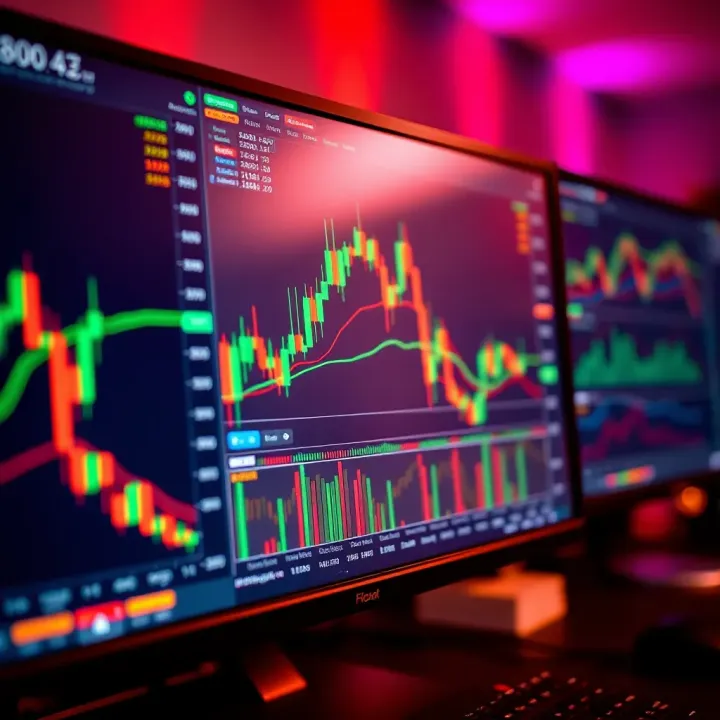
📈 Discover top forex trading classes in Kenya! Learn market basics, choose the right course, and navigate legal tips for smarter trading success.
Based on 9 reviews